 CST Toolkit
Know what's missing from every student file, with one scan.
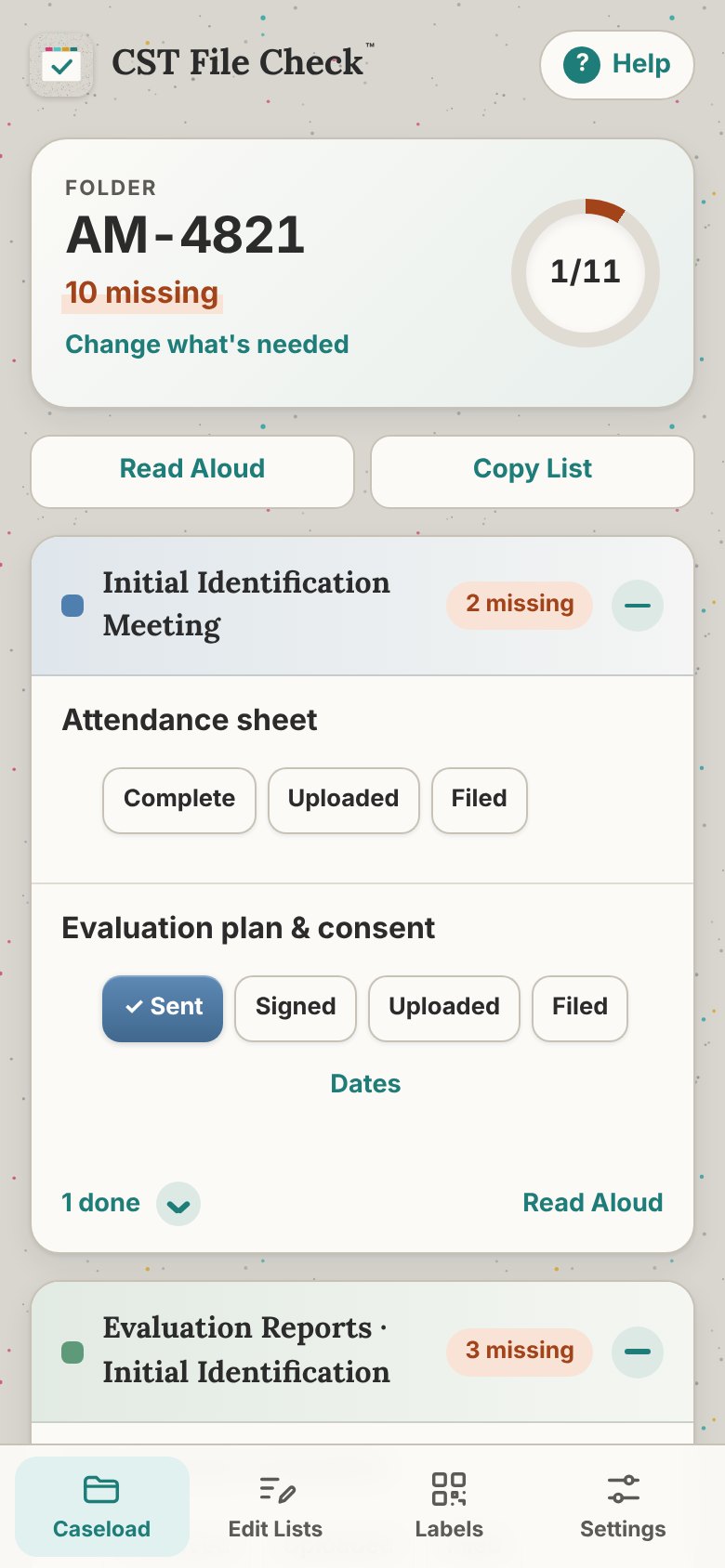
A QR-code checklist app for Child Study Team case managers. Put a label on each folder, scan it with your phone, and see which papers are still missing, sent, signed, uploaded or filed.
No account and no card needed for the trial. Works on phones, tablets and computers.
How it works
Set it up once at the start of the year. After that, every folder checks itself in seconds.
Add your caseload
Give each folder a short code like AM-4821 and pick the meetings it needs. The checklist fills in the papers for you.
Print the labels
Print QR labels on standard sticker sheets and stick one on each folder.
Scan and check off
Scan a folder to see what's missing. Tap a paper's status as it's sent, signed, uploaded or filed.
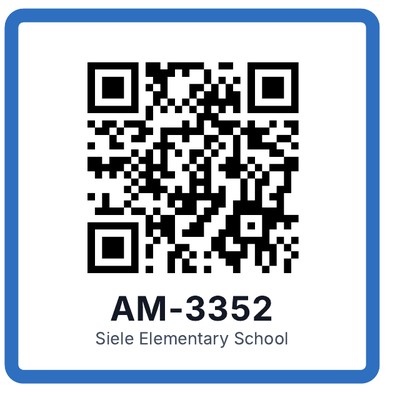
Student names stay on paper.
CST File Check was built around student privacy from the first screen.
- Folders use codes you make up. Never enter a student's name or ID.
- Your checklists stay on your own device. None of it is sent to us or to anyone else.
- No app accounts, no ads and no tracking.
- Only your license key is checked online, through our store, Polar. Read the privacy page.
Made for the way case managers work
Designed by a Child Study Team case manager.
Every step of a paper
Track each one as it moves along.
See what's missing at a glance
Each meeting shows its count, so you know which folder needs you first.
Edit the lists to fit your forms
Add papers, rename meetings and choose each paper's steps to match how your team files.
Read Aloud and Copy List
Hear what's missing while you sort, or paste the list into a note or email.
Schools, classes and nicknames
Color-code each school, group folders by class and give a class a nickname.
Start a new school year
Clear last year's check marks in one step and keep or re-pick each folder's meetings.
What you get
- A license key by email, right after you buy
- Use it on up to 2 of your own devices
- Unlimited folders, schools and labels
- A 7-day free trial first, with up to 3 folders
Payment, receipts and sales tax are handled by Polar. All sales are final; see the Terms.
Questions
Do I need to download it from an app store?
No. Open filecheck.csttoolkit.com in your phone's browser and add it to your home screen. It then opens like any other app.
Does it work without internet?
Yes, after you've opened it once. Checking items off works offline.
Do I need an account?
No. There's nothing to sign up for. The trial starts the first time you open the app.
What happens when the free trial ends?
Your folders are still saved on your device. Buy a license and enter the key in Settings, and everything opens right back up. You can also save a backup at any time.
I got a new phone. Can I move my license?
Yes. Make a backup, then on the old device go to Settings → License and remove the key. Enter it on the new device and restore your backup. Each key works on 2 devices at a time.
What do I need to print the labels?
Any printer and standard sticker label sheets. The app lets you fine-tune the fit so labels line up with your sheets.
Can I add dates?
Yes, if you want to. Tap Dates under a paper to record when a step happened. Dates are optional.
Need help?
Email us and we'll get back to you.
support@csttoolkit.com